60 pro tricks with every explanation stripped out — only the actionable shortcuts, hidden settings and workflow hacks pros use every day. Screenshots captured live from tradingview.com with Playwright. 12 topics: Toolbar, Drawing, Indicators, Fib, Multi-Chart, Replay, Alerts, Pine, Strategy Tester, Screener, Watchlist, Hotkeys. A 5-minute read — apply every trick immediately.
60 pro tricks · 12 section · 5 นาที ค้าบ — ตัด explanation ทิ้งทั้งหมด · เหลือแค่ shortcut, hidden setting, workflow hack ที่ Pro Trader ใช้จริงทุกวัน · screenshot ทุกภาพ capture สดจาก tradingview.com ด้วย Playwright (Chrome automation) · ลองทีละ trick — อันไหน workflow ของคุณเข้ากันได้ก็ใช้ · อันไหนไม่ใช้ก็ข้าม · เปิดไว้ในแท็บ pin ไว้
1. Top Toolbar — 5 tricks
• กด `\` แทน mouse — เปิด Symbol Search ทันที · เร็วกว่ากด search icon 0.8s · ใน 1 ปี save 50+ ชม.
• กด `,` / `.` — back/forward symbol ใน Watchlist · ไม่ต้องเปิด list
• Custom Interval — Type "3D", "8H", "45" (45min) ตรง interval box · ไม่ต้องอยู่ใน preset
• Compare (+ icon) → เพิ่ม "%" prefix หน้า symbol (เช่น %DXY) → plot เป็น overlay percentage แทนราคา · ใช้เปรียบ relative strength ของ 2 instrument
• Save Template — Save chart setup ทั้ง indicator + drawing + theme เป็น Template · กด Template dropdown → "Apply" ใน chart ใหม่ → setup ครบในวิว 1 sec · Pro มี 3-5 template (Scalp / Swing / News / HTF Bias)

ทำ Quiz ใน FB post นี้ · comment คะแนนรวม + ดูคำตอบของ Pro Trader คนอื่น · ใครได้ 5/5 แอดส่ง Template ส่วนตัวให้ฟรี
2. Drawing Toolbar — 5 tricks
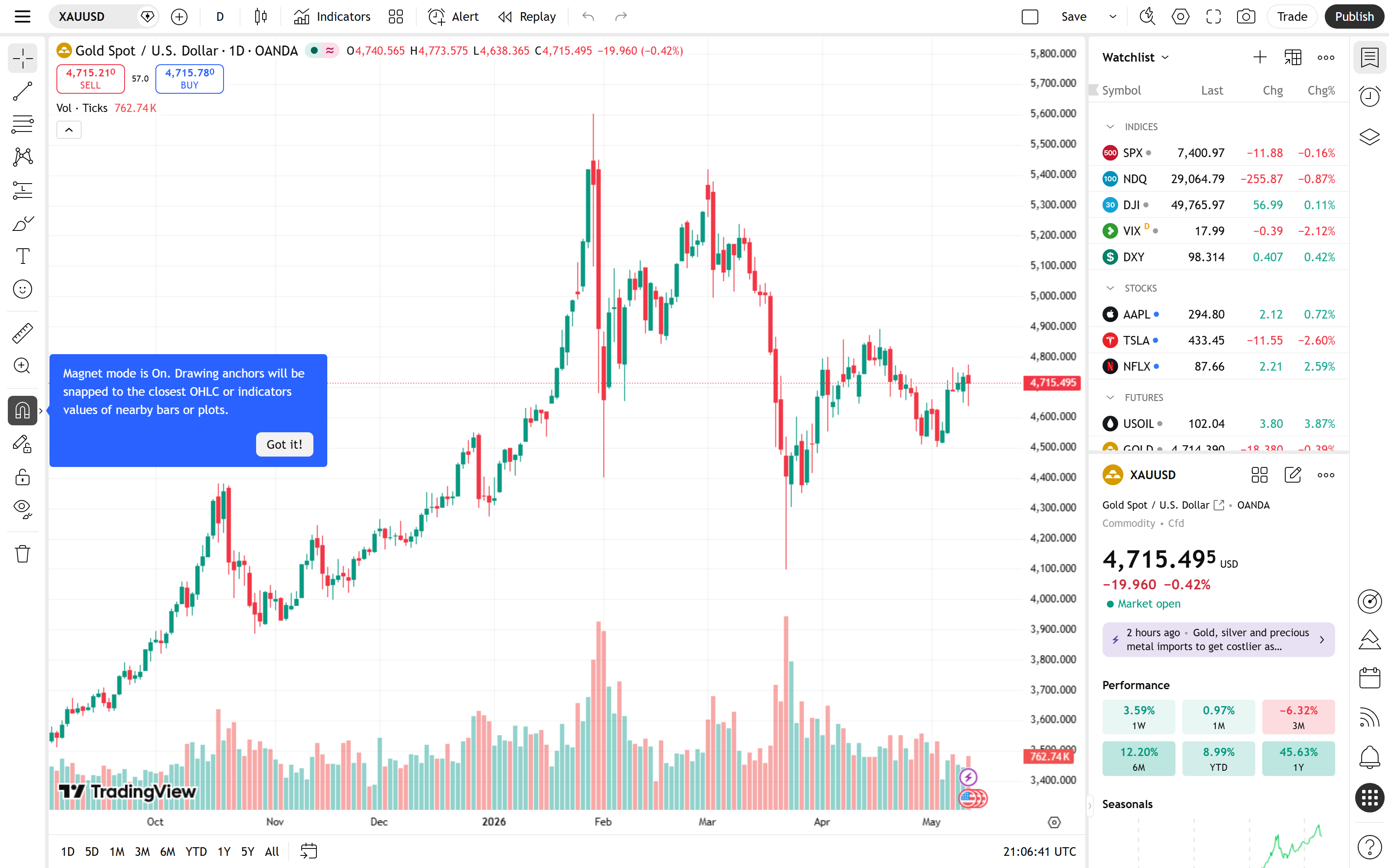
• Right-click drawing → "Save default style" — สีและ thickness ที่ตั้ง = default ของทุก drawing ใหม่ที่ลากต่อ · ไม่ต้อง customize ทีละเส้น • Magnet mode = Strong — กดปุ่มแม่เหล็ก 2 ครั้งจะเปลี่ยนจาก Weak → Strong · Strong snap ทุก wick top/bottom · จำเป็นสำหรับ ICT/SMC ที่ต้องการ accuracy 100% • Lock drawing (right-click → Lock) — ป้องกัน drawing โดน drag accidentally · Pro lock HTF zone ทั้งหมดเมื่อมาเทรด LTF • Drawing Templates (icon T ใต้ drawing toolbar) — เก็บ Order Block style, Fib style, Trend style ที่ใช้บ่อย · Apply ใน 1 คลิก • Stay in Drawing Mode — Settings → Drawings → check "Stay in Drawing Mode" → ลาก 10 เส้นต่อกันโดยไม่ต้องกดปุ่ม drawing ซ้ำ · save 10-15 click ต่อ session

cheatsheet PDF 1 หน้า · พิมพ์แปะข้างจอ · 30 tricks ที่ Amateur ไม่รู้ · comment "ขอ PDF" ใน FB post → ส่ง link ให้ทันที
3. Indicators — 5 tricks
• Save Indicator Template (กด "Indicator Templates" icon บน toolbar) — เก็บกลุ่ม indicator 5-10 ตัวเป็น 1 template · Apply 10 indicator ใน 1 คลิก • Hide indicator ไม่ใช่ Remove — กด eye icon ข้าง indicator name · เก็บ setting ไว้ · กลับมา show ทันทีเมื่อต้องการ • Folder organization ใน "My Scripts" — drag drop script เข้า folder · Pro แยก folder "ICT", "Volume", "Custom Strategy" • "Liked Scripts" filter — ใน Indicators dialog เลือก tab "Liked" → ดูเฉพาะ script ที่กด ไว้ · ไม่ต้อง search ซ้ำ • Pin indicator value — Right-click indicator label บน chart → "Pin to scale" → ค่า indicator จะ pin ไว้ที่ขอบ scale ทำให้ดู value ปัจจุบันได้ตลอด
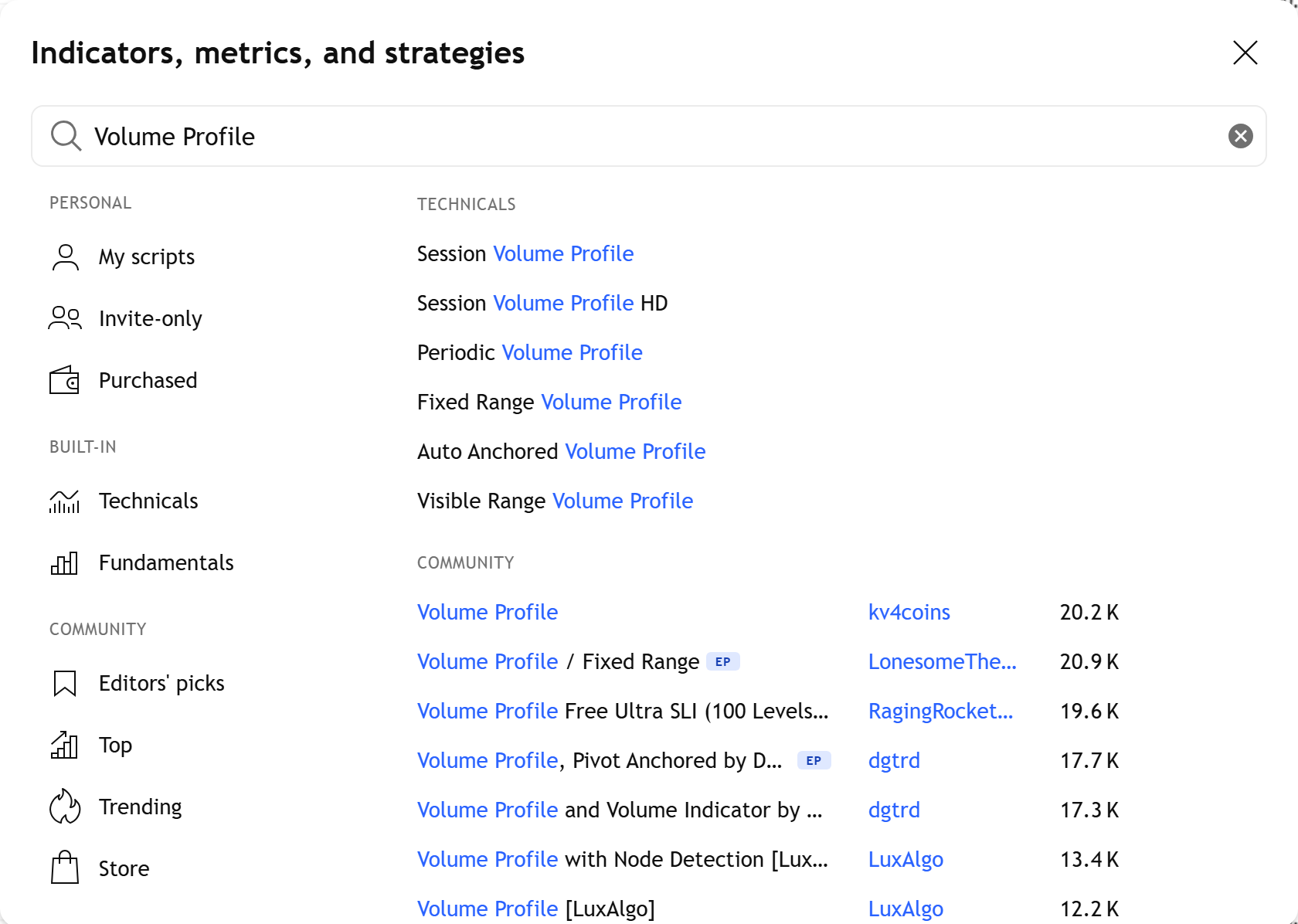
List ที่แอดรวบรวมจาก community + ทดสอบเอง · ทุกตัวมี 5,000+ likes · ดูใน FB post · comment "want list" → tag คุณใน reply พร้อม link ทุก script
4. Fibonacci — 5 tricks
• เพิ่ม level 0.705 + 0.886 — Right-click Fib → Settings → Levels → Add · 0.705 = ICT Optimal Trade Entry midpoint · 0.886 = extreme retracement ที่ smart money ทำ stop hunt บ่อย • Fib Extension levels: 1.272, 1.618, 2.0, 2.618 — Pro ใช้สำหรับ TP target · Add ใน Settings • Reverse Fib — Right-click Fib → "Trend-based Fib Extension" → ลาก 3 จุด · projection target ของ trend • Magnet ON ก่อนลาก Fib — บังคับ snap ที่ wick top/bottom · ไม่ใช่ candle body • Fib Channel / Fib Speed Resistance Arc — 2 drawing tools ลึก ที่ใช้สำหรับ trend pullback projection · ส่วนใหญ่ amateur ไม่รู้ว่ามี · กด dropdown ที่ Fib icon → expand เห็น 6 variants
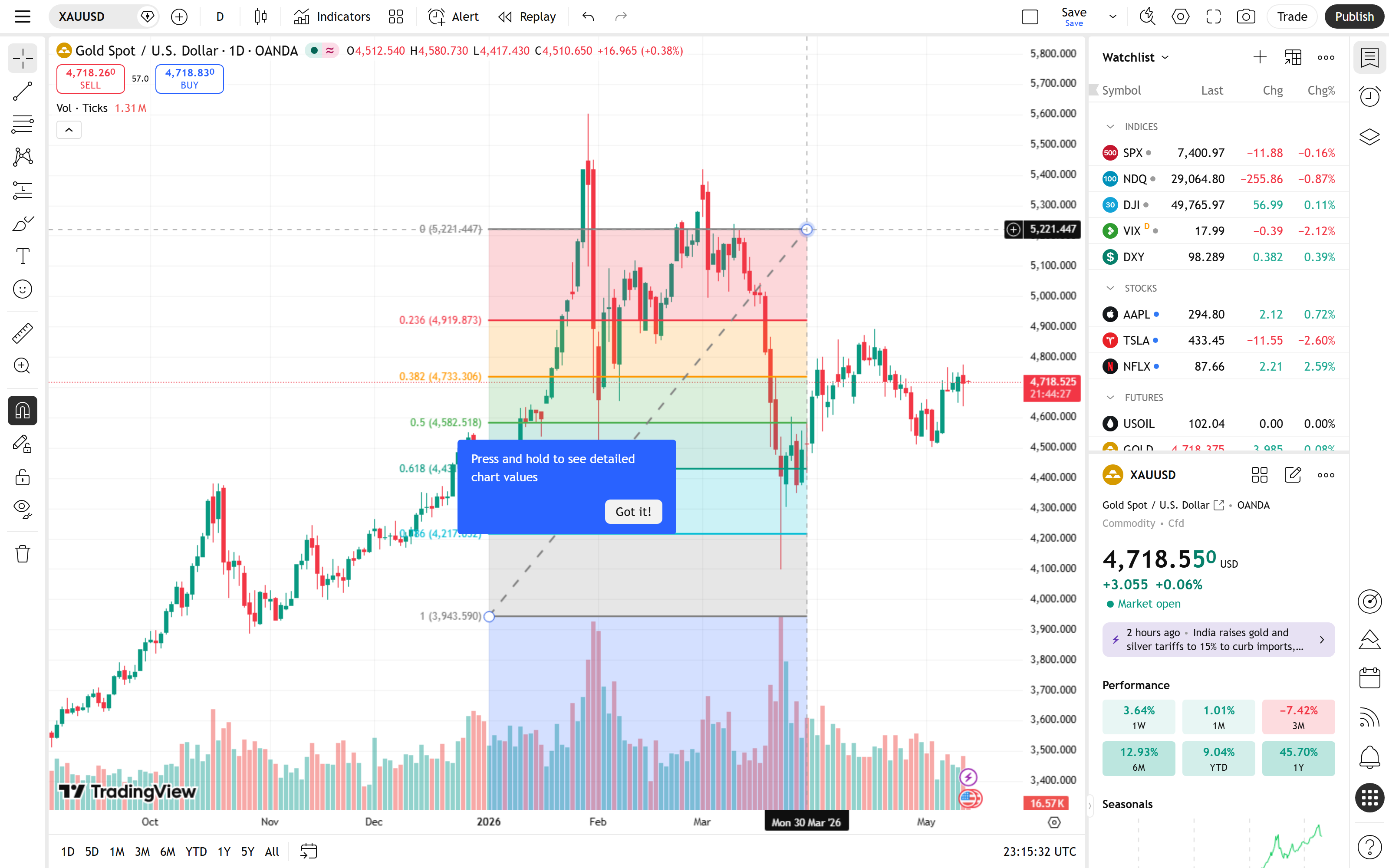
Trade ที่แอดเข้าสด · screenshot Entry/Exit + analysis ทุกขั้นตอน · breakdown ใน FB post ทำไม 0.705 zone work · ดูจริงเข้าใจเร็วกว่าอ่าน theory
5. Multi-Chart Layout — 5 tricks
• Sync Crosshair / Sync Interval / Sync Symbol / Sync Drawings — 4 sync toggle (sync icon ขวาบน) · เปิด/ปิดตามแต่ละ analysis · Sync Symbol = เปลี่ยน symbol ที่ chart 1 → chart 2-4 ตามทันที · sweet spot สำหรับ MTF analysis
• Custom layout 1-3-1 — กด layout dropdown → custom · ใช้สำหรับ HTF (D) + Entry 3 charts (4H, 1H, 15M) + Execution (1M)
• Save Layout per Strategy — Save layout เป็นชื่อ "Scalp", "Swing", "News" · Switch layout ตาม mood
• Maximize 1 chart ใน multi-layout — กด `Alt+P` ที่ chart ใดก็ได้ใน multi-layout → expand เต็มจอ · กดอีกครั้งกลับ multi-view
• Compare instrument บน chart เดียว — Symbol Search → พิมพ์ XAUUSD/DXY → plot ratio · เห็น "real strength" ของ Gold เทียบ Dollar
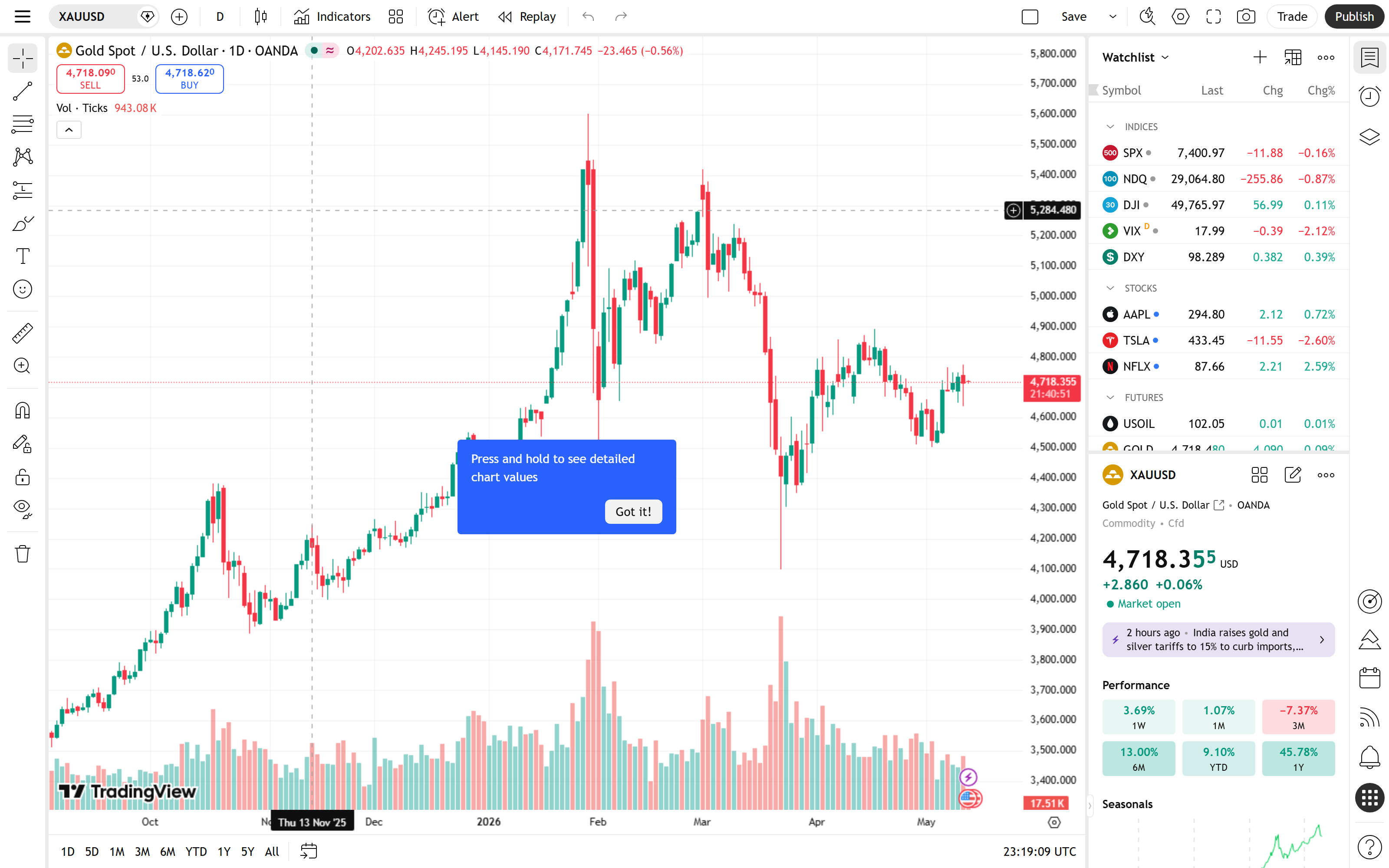
Shared layout link ของแอด · D + 4H + 1H + 15M + DXY overlay + custom indicators ที่ pre-set แล้ว · import 1 click ใน TradingView ของคุณ
6. Replay Mode — 5 tricks ⏯️
• Jump to date — เปิด Replay → กด calendar icon ที่ playback panel → พิมพ์วันที่ → jump ไป date นั้นทันที · ไม่ต้อง scroll หา bar • Speed 10x สำหรับ 1H+ TF — speed 1x ช้าเกินไป · 10x = backtest 1 เดือนของ 1H ใน 5 นาที • กด Spacebar Pause/Play — ระหว่าง replay กด spacebar = pause · กดอีกครั้ง = play · เร็วกว่า click button • Manual paper trade + journal — เปิด Long/Short position tool ระหว่าง replay → จด trade ไว้ใน Notes panel ของ Watchlist · backtest พร้อม Journal • Replay ตอน News event — Jump ไปวันที่ NFP/FOMC → speed 1x → ดูราคา react · เรียนรู้ price action ใน news ที่ละเอียดกว่าดู chart aftermath

Challenge ที่แอดให้นักเรียนทำก่อนเริ่ม live trade · กฎ + Journal template + grading criteria · post ผลลัพธ์ใน FB → แอดให้ feedback ส่วนตัวฟรี
7. Alerts — 5 tricks
• Drawing-based Alert — Right-click trendline / rectangle / Fib → "Add Alert" → trigger เมื่อราคาแตะ drawing เฉพาะนั้น · เปลี่ยน setup zone → drawing เปลี่ยน → alert update auto
• Webhook → MT5 / Discord — Alert dialog → Notifications → "Webhook URL" · ส่ง JSON payload ไป endpoint ของคุณ · ทำ semi-auto trading ผ่าน MT5 หรือ Discord notification ใน server ของคุณ
• Alert message variables — ใช้ {{ticker}} {{close}} {{strategy.order.action}} ในข้อความ alert · message dynamic เปลี่ยนทุก trigger
• "Once Per Bar Close" mode — ลด noise ของ Alert ที่ trigger ระหว่าง bar กำลังก่อตัว · trigger แค่ตอน bar close แล้วเงื่อนไขยังเป็นจริง
• Multi-condition ผ่าน Pine `alertcondition()` — เขียน Pine ที่รวม 2-3 condition (เช่น RSI > 70 AND price > EMA200) → alertcondition() จะให้ option ใน Create Alert dialog
Code ที่แอดใช้สด · deploy บน Cloudflare Worker ฟรี · TradingView Alert → Webhook → MT5 auto-execute · setup 10 นาทีพร้อมใช้
8. Pine Script — 5 tricks
• `request.security()` — pull data จาก timeframe อื่น · ใช้ใน 1M chart แต่อ่าน RSI ของ Daily TF → MTF strategy ใน script เดียว • `table.new()` — สร้าง dashboard ที่มุมจอ · แสดง RSI/MACD ของ 6 timeframe พร้อมกันบนกราฟ • `var` keyword — declare variable แค่ครั้งเดียวตอน bar แรก · ใช้สำหรับ counter, accumulator ที่ persist across bars • `barstate.isconfirmed` — เช็คว่า bar close แล้วก่อน execute logic · ป้องกัน strategy ทำงานก่อน bar close แล้วเปลี่ยนใจ • Inline Pine ใน Alert — เขียน Pine สั้นๆ ใน Alert dialog ตรงๆ (Pro+ feature) · ทดสอบ alert condition ก่อนเขียน full script
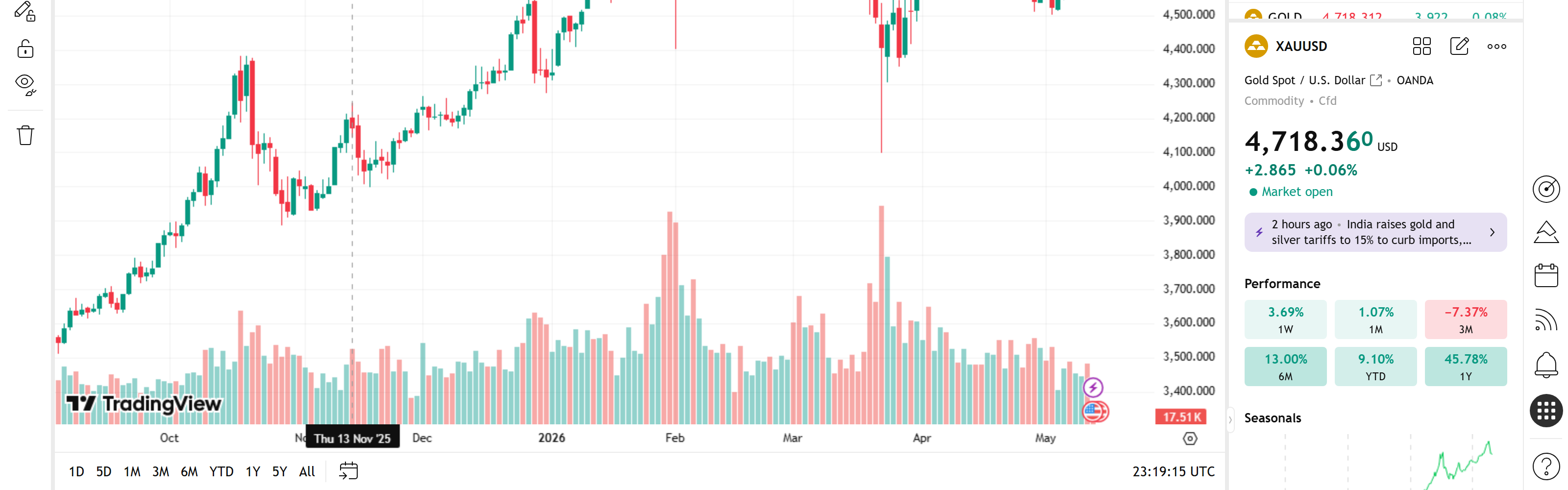
Order Block · FVG · Liquidity Sweep · Multi-TF Dashboard · RSI Divergence · Auto Fib · Session Highs/Lows · MTF Bias Table · Daily Pivot · ICT Killzone · code open-source · ใช้ทันที
9. Strategy Tester — 5 tricks
• Properties tab — ตั้ง Commission + Slippage จริง — XAUUSD spread $0.30/lot + slippage 5 pips · ผลลัพธ์ realistic • Pyramiding > 1 — ให้ strategy add ใน position เดียวกัน · ทดสอบ scaling-in technique ที่ใช้กับ trend trade • Initial Capital ตามทุนจริง — backtest ด้วย $50,000 ถ้าทุนจริง $50,000 · ตัวเลข Net Profit จะมีความหมาย • Use bar magnifier (Pro+ feature) — backtest 1H strategy โดยให้ engine ใช้ 1M data ใน intra-bar execution · accuracy สูงขึ้นมาก • Walk-forward test — แบ่ง backtest period เป็น 3 ช่วง (in-sample / out-of-sample 1 / out-of-sample 2) → optimize ใน in-sample → verify out-of-sample · ถ้า edge fall apart ใน out-of-sample = curve-fitted
Spreadsheet ที่แอดใช้ทุกครั้งที่ test strategy · auto-calculate Profit Factor + Max DD + Recovery Factor + Walk-forward variance · ทำ Copy ใช้ของคุณเองได้ทันที
10. Screener — 5 tricks
• Save Screen — ตั้ง filter ที่ใช้ทุกวัน → Save Screen → Load ใน 1 click เช้าวันถัดไป • Custom Pine ใน Screener — Pro+ feature · ใส่ Pine script ที่ return boolean → screener filter ตาม condition ของคุณ (เช่น "RSI bullish divergence ใน 4H") • Sort by % change — click column header → ดู top movers · combo กับ filter Volume > avg = "instruments ที่ active วันนี้" • Alert from Screener — กด bell icon ที่ screener row → alert เมื่อ instrument นั้น match filter · scan 240 pairs โดยไม่ต้องเปิดทีละ chart • Compare timeframe Bias — ใน Screener เพิ่ม column "MA(50) Daily" + "MA(50) 1H" + "MA(50) 15M" → ดู alignment ของ trend ใน 3 TF ใน single row
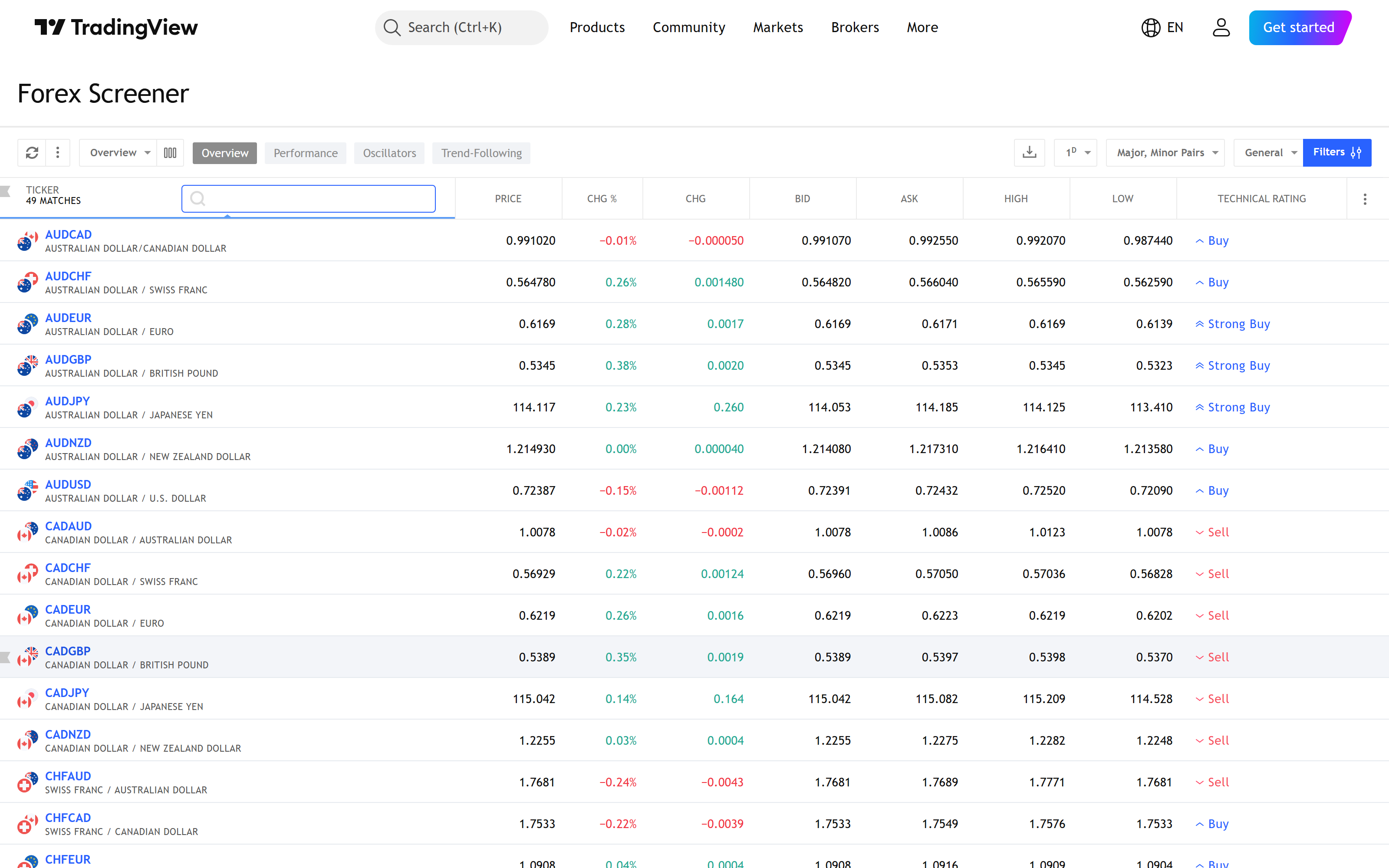
Filter ที่แอดใช้ทุกเช้า · top movers + RSI extreme + Volume above avg + multi-TF MA alignment · import config ใน 1 click → ใช้เช้าวันถัดไปเลย
11. Watchlist — 5 tricks
• Flag system — Right-click symbol → "Set Flag" → เลือก 1 ใน 7 สี · Pro ใช้ Red = "watching for short", Green = "watching for long", Yellow = "wait for HTF break", Blue = "in position" • Import/Export CSV — Watchlist 50-100 symbol = pain ที่ต้อง type · Export Watchlist → CSV → edit ใน Excel → Import กลับ · backup ได้ด้วย • Multi-Watchlist split — Pro+ feature · แสดง 2-3 watchlist พร้อมกัน · "Daily Trade" + "HTF Bias" + "Long-term Position" • Sort by Performance — Click column "Change %" → top of list = movers วันนี้ • Custom column — Right-click column header → "Edit columns" → add ATR, RSI, Volume, 52-week range, MA(200) · Watchlist กลายเป็น mini-screener
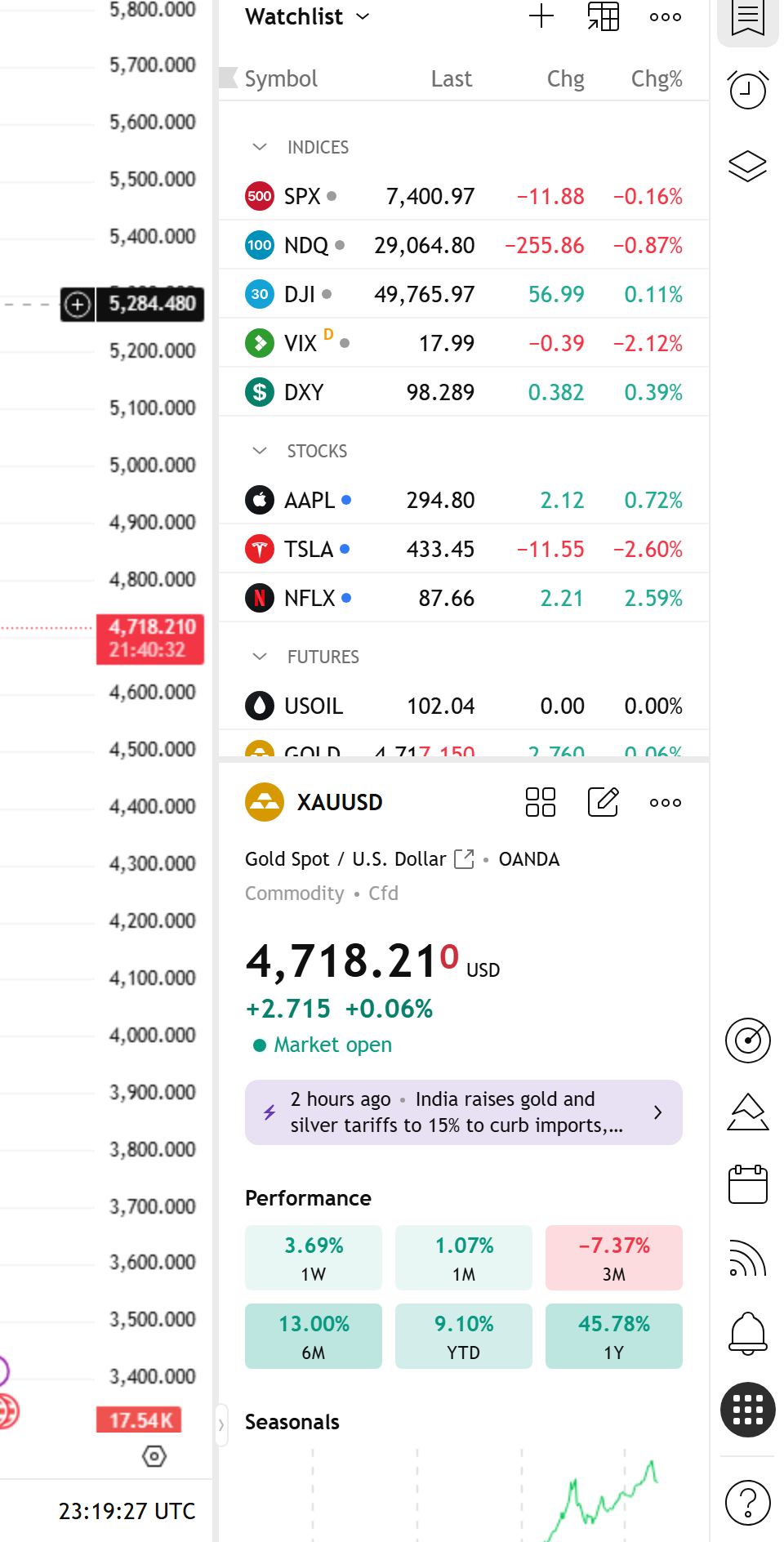
7 flag colors meaning · 4 watchlist sets (Daily Trade / HTF Bias / News Watch / Long-term) · CSV file พร้อม import ใน TradingView · setup cockpit ของคุณใน 5 นาที
12. Hotkeys — Top 15 ที่ Pro กดทุกวัน ⌨️
กดจำ 15 ตัวนี้ — workflow เร็วขึ้น 50% ภายใน 2 สัปดาห์:
• \ — Symbol Search
• , / . — Previous / Next symbol
• 1-9 + H/D/W/M — Custom timeframe (เช่น 4H)
• Alt + F — Fibonacci Retracement
• Alt + T — Trend Line
• Alt + H — Horizontal Ray
• Alt + R — Rectangle
• Alt + M — Magnet toggle
• Alt + A — Create Alert
• Alt + W — Add to Watchlist
• Alt + P — Maximize chart ใน multi-layout
• Ctrl + I — Insert Indicator
• Ctrl + \ — Toggle Pine Editor
• Ctrl + ? — เปิด full Hotkeys cheatsheet
• Spacebar — Play/Pause ใน Replay mode
Hidden Combo (ส่วนใหญ่ไม่รู้):
• Ctrl + Shift + S — Toggle dark/light theme
• Ctrl + Alt + S — Take chart screenshot ตรง clipboard
• Ctrl + Shift + ↑/↓ — Move drawing layer up/down (z-order)
• Shift + drag drawing — Lock to horizontal/vertical axis ระหว่าง drag
• Ctrl + drag drawing — Duplicate drawing
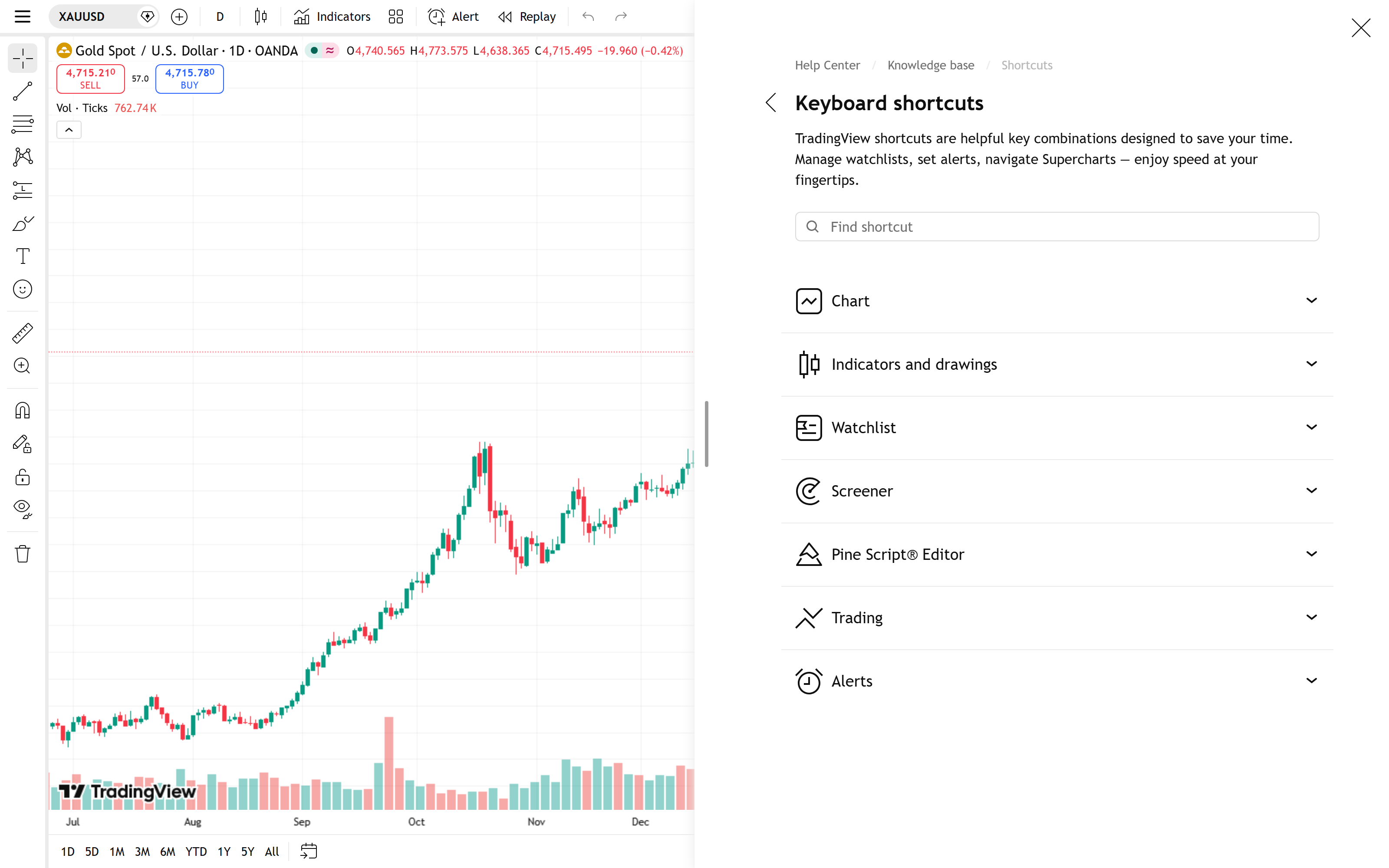
20 hotkeys ที่ใช้ทุกวัน + 5 hidden combo · PDF print-ready design สำหรับ A4 · download ที่ FB post · 2 สัปดาห์ workflow เร็วขึ้น 50%
คอร์ส ICT Trading System ของ TradingEdge สอนวิธีใช้ TradingView ทุก feature + ICT/SMC trading concept · workflow ที่ใช้กับ XAUUSD / Forex / Indices ได้ครบ · Discord 1,000+ คนเทรดจริง · มี Live session สอน Pine Script + Replay Mode + Strategy Tester แบบ hands-on
#สรุปฉบับสั้น — 60 tricks ใน 12 หัวข้อ
• Toolbar: \ open search · ,/. switch symbol · custom interval typing · %DXY compare overlay · save 3-5 Template
• Drawing: Save default style · Magnet Strong · Lock drawing · Drawing Templates · Stay in Drawing Mode
• Indicators: Indicator Templates · Hide ไม่ Remove · Folder organize · Liked filter · Pin to scale
• Fib: เพิ่ม 0.705 + 0.886 · Extension 1.272/1.618 · Reverse Fib · Magnet ก่อนลาก · Fib Channel/Arc
• Multi-Chart: 4 sync toggles · Custom 1-3-1 layout · Save per strategy · Alt+P maximize · XAUUSD/DXY ratio
• Replay: Jump to date · Speed 10x · Spacebar pause · Manual paper trade · Replay ตอน News
• Alerts: Drawing-based alert · Webhook → MT5 · {{close}} variables · Once Per Bar Close · multi-condition Pine
• Pine: request.security() · table.new() · var · barstate.isconfirmed · inline Pine in Alert
• Strategy Tester: Commission+Slippage จริง · Pyramiding · Initial Capital ตามทุน · Bar magnifier · Walk-forward
• Screener: Save Screen · Custom Pine filter · Alert from Screener · Sort by % · Multi-TF MA columns
• Watchlist: Flag system 7 colors · Import/Export CSV · Multi-list split · Custom columns (ATR/RSI/52w)
• Hotkeys: \ , . · Alt+F/T/H/R/M/A/W/P · Ctrl+I/\/? · Spacebar · Hidden: Ctrl+Alt+S screenshot, Shift+drag lock axis, Ctrl+drag duplicate
#ความเห็นฉบับแอด
จาก 60 tricks นี้ค้าบ — ที่แอดใช้ทุกวันจริงๆ คือ 15-20 tricks · ที่เหลือเก็บไว้ตามสถานการณ์ · trick ที่แอด อยากแนะนำให้เริ่ม priority สำหรับเทรดเดอร์ที่จะ upgrade workflow ตัวเอง:
Tier 1 (ทำเลย 1 ชม.): • Save Template — เก็บ chart setup ของ instrument หลัก · save 20+ click ทุกครั้งที่เปิด chart ใหม่ • Magnet Strong + Save default style — accuracy 100% บน wick + ไม่ต้อง customize drawing ทีละเส้น • Hotkeys top 15 — print แปะข้างจอ · ใช้ทุกวัน · 2 สัปดาห์เข้านิ้ว
Tier 2 (ทำเดือนแรก): • Multi-chart layout 4 sync — MTF analysis ที่ pro ใช้ • Drawing-based Alert — ตั้งที่ Order Block / Fib zone · ไม่ต้องเฝ้ากราฟ • Replay Mode + Journal — backtest 100 trades สร้าง edge
Tier 3 (ทำเดือน 2-3): • Pine Script พื้นฐาน — เขียน custom indicator ตามระบบของตัวเอง • Strategy Tester walk-forward — verify ว่า strategy ไม่ curve-fitted • Webhook → MT5 — semi-auto trading
ไม่ต้องทำทั้ง 60 tricks พร้อมกัน · ค่อยๆ apply ทีละ tier · ภายใน 3 เดือน workflow ของคุณจะเร็วกว่า 95% ของเทรดเดอร์ที่ใช้ TradingView · เห็นคนอื่นใช้ TradingView แล้วรู้สึกว่า "เขาเก่ง" — จริงๆ เขาแค่รู้ 30-50 tricks ที่คุณยังไม่รู้
ที่ Discord TradingEdge — analyst post Killshot trade ทุกวันด้วย screenshot จาก TradingView · ใน screenshot แต่ละภาพมี Pro tricks ของ Pro analyst ฝังอยู่หลายอัน · เข้ามาดู workflow ของ Pro Trader จริงที่เทรดให้ดูทุกวันได้ครับ
1,000+ คน · ห้อง analyst post Killshot trade ด้วย screenshot จาก TradingView · เห็น Pro tricks ของ Pro Trader ในทุก trade · share Pine Script + Template + custom indicator
คำถามที่พบบ่อย
60 tricks เยอะไป — เริ่มจาก trick ไหนก่อน?+
Priority Tier 1 (ทำเลย 1 ชม.) **3 tricks เปลี่ยน workflow ทันที**: (1) **Save Template** ของ chart setup หลัก — save 20+ click ทุกครั้งที่เปิด chart ใหม่ (2) **Magnet Strong** + Save default style — accuracy บน wick + ไม่ต้อง customize drawing (3) **Hotkeys top 15** — print แปะข้างจอ · 2 สัปดาห์เข้านิ้ว · 3 tricks นี้ apply 1 ชม. = save เวลา 30 ชม./เดือน
Trick ไหนต้องใช้ TradingView paid plan?+
Free plan ใช้ได้: Hotkeys ทั้งหมด, Magnet, Drawing tricks ทั้งหมด, Fib level customization, 1 Alert (Drawing-based) · **ต้อง Pro+ ($29.95)**: Multi-chart 4 charts, Save Layout/Template, Bar Magnifier (Strategy Tester), Custom Pine ใน Screener, Multi-Watchlist split · **ต้อง Premium ($59.95)**: 8 charts/layout, 400 alerts, Webhook unlimited, inline Pine ใน Alert · 80% ของ 60 tricks ใช้ได้บน Pro+ · เริ่ม Free → Pro+ เมื่อ feeling จำกัด
Webhook → MT5 ทำยังไง? ต้อง code เป็นไหม?+
ต้อง code ระดับ basic Python/Node.js · Workflow: (1) TradingView Alert → Webhook URL → endpoint ที่คุณ host (เช่น Cloudflare Workers + ngrok) (2) Endpoint รับ JSON payload → forward ไป MT5 API ผ่าน library `MetaTrader5` (Python) หรือ ZeroMQ bridge (3) MT5 EA รับสัญญาณ → เปิด order · มี service สำเร็จที่ขายเช่น **PineConnector, AutoView, TradingView-to-MT5** ราคา $20-50/เดือน · ไม่ต้อง code เอง · เหมาะสำหรับ trader ที่อยาก semi-auto โดยไม่ต้องเรียน programming
Custom Pine ใน Screener / Alert เขียนยังไง?+
Basic template: `//@version=5\nindicator("My Signal")\nlongSignal = rsi(close, 14) < 30 and close > ema(close, 200)\nalertcondition(longSignal, title="Long Signal", message="RSI < 30 + Above EMA 200")\nplotshape(longSignal, ...)` · Save → "Add to Chart" → Create Alert → Condition จะมี option "Long Signal" ให้เลือก · สำหรับ Screener: indicator() ต้อง return boolean output → screener Pine filter จะใช้ได้ · ต้อง Pro+ ขึ้นไปใช้ใน Screener
Walk-forward test ทำยังไงใน Strategy Tester?+
TradingView Strategy Tester ไม่มี walk-forward built-in · ทำ manual: (1) ตั้ง Strategy properties → Date Range = "2020-01-01 to 2022-12-31" (in-sample) → optimize parameter (2) เปลี่ยน Date Range = "2023-01-01 to 2023-12-31" (out-of-sample 1) → run ด้วย parameter ที่ได้จาก step 1 · ห้ามแก้ parameter (3) Date Range = "2024-01-01 to ปัจจุบัน" (out-of-sample 2) · ถ้า Profit Factor ใน 3 period ตกไม่เกิน 30% = robust · ถ้าตกเกิน 50% = curve-fitted
Flag system + Watchlist 7 สี — แต่ละสีใช้ทำอะไร?+
Pro convention ที่แอดใช้: **Red** = "Short bias HTF, waiting for short setup" · **Green** = "Long bias HTF, waiting for long setup" · **Yellow** = "ไม่ชัด, รอ HTF break" · **Blue** = "ใน position ตอนนี้" · **Orange** = "News coming, no trade until release" · **Pink** = "Watching only, no plan" · **Purple** = "Long-term position (3-6 months)" · ไม่ต้องตามแอด · ทำ convention ของตัวเอง · key คือ consistent · เห็นสีปุ๊บรู้ว่าทำอะไรอยู่
Hidden hotkey ตัวไหน save เวลามากที่สุด?+
**`Ctrl+Alt+S`** — Take chart screenshot ตรง clipboard · paste เข้า Discord/Notion/Journal ทันทีโดยไม่ต้อง save file · Pro ใช้ตอน post killshot · save 5-10 sec/screenshot × 20 ครั้ง/วัน = save 2-3 นาที/วัน · **`Alt+P`** — Maximize chart ใน multi-layout · expand 1 chart เต็มจอ → analyze → กลับ multi-view · เหมาะกับ MTF workflow · **`Spacebar`** ใน Replay — pause/play เร็วกว่า click button · 3 hotkey นี้ใช้บ่อยที่สุด
TradingEdge มี Pine Script template ฟรีให้ใช้ไหม?+
**มี** · ใน Discord TradingEdge channel **#pine-scripts** แอดและทีม analyst share script ที่ใช้จริง: ICT Order Block auto-detect, FVG indicator, Liquidity sweep alert, Multi-TF dashboard table · ดาวน์โหลด → paste เข้า Pine Editor → Add to Chart → ใช้ได้ทันที · script ทั้งหมด open-source · นักเรียนในคอร์ส ICT Trading System ได้ priority script ที่ระดับ private (Order Block ZSI, FVG with mitigation tracking) · ดูที่ /courses หรือทักแอดมิน Discord
- TradingView official documentation
- Pine Script v5 reference
- TradingView Public Library (community scripts)
- TradingView Forex Screener
- TradingEdge ICT Trading System course
- TradingEdge Discord Community
- Screenshot capture script — scripts/capture-tradingview.ts (Playwright)